Showing Posts From
Youtube tutorial
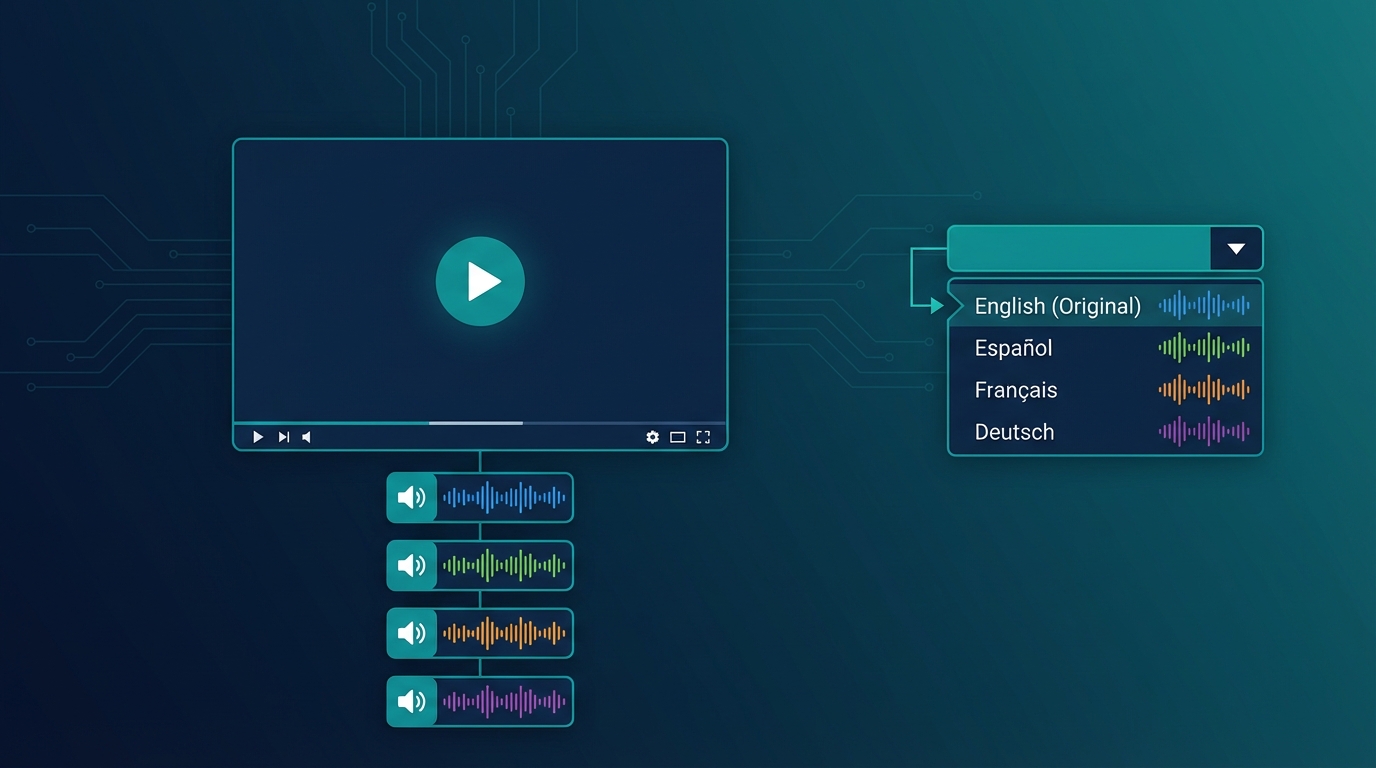

YouTube Multi-Audio: How to Add Multiple Languages to Your Videos
YouTube has introduced a feature that many creators still don't know about or fully utilize: Multi-Audio. This feature allows viewers to choose the audio language directly from the player, without having to search for secondary channels or alternative versions of the video. In this guide, I'll show you exactly how it works and how to use it to expand your global audience.Important: YouTube's Multi-Audio lets you upload up to 6 audio tracks in different languages on a single video. Viewers can switch languages with one click directly from the player.🔊 What Is YouTube Multi-Audio The Multi-Audio feature (also called "Audio Track" or "Multiple Audio Tracks") allows you to upload alternative audio versions of the same video. Viewers can select their preferred language by clicking the settings icon in the player. How it appears to viewers:Click the gear icon ⚙️ Select "Audio track" Choose from available languages Audio changes instantlyThe video stays the same, but the voice changes language. It's like having a remote control for dubbing. 💡 Multi-Audio vs Separate Channels: Pros and Cons Before implementing Multi-Audio, it's important to understand when to use it versus the separate channels strategy (MrBeast style). Multi-Audio Advantages ✅ Single video to manage: Unified metrics, centralized comments, less maintenance ✅ No additional channels: You don't have to build separate audiences from scratch ✅ Smooth user experience: International viewers find your video and choose the language ✅ Algorithm boost: YouTube tends to promote Multi-Audio videos in corresponding markets ✅ Ideal for evergreen content: Tutorials, how-tos, reviews that don't require frequent updates Multi-Audio Disadvantages ❌ Less SEO control: Single title/description (you can only translate in metadata) ❌ Aggregated statistics: Hard to understand which language performs better ❌ Mixed community: Comments in all languages in the same place ❌ Single thumbnail: You can't customize for each marketPro Tip: use Multi-Audio for tutorial/educational content and separate channels for entertainment/personality-driven content where localized community matters more.📝 Tutorial: Adding Multi-Audio to Your Videos RequirementsVerified channel At least 1,000 subscribers No active strikes Separate audio file (audio track only, not video)Step 1: Prepare the Audio Tracks For each language, you need an audio file:Format: AAC, MP3, WAV Exact same duration as original video Dubbed voice only (original music stays)How to get the tracks:Dub the video with NovaDub Download the complete version (video + dubbed audio) Extract only the audio with a tool like FFmpeg:ffmpeg -i dubbed_video.mp4 -vn -acodec copy audio_language.aacOr NovaDub can export the separate audio track directly. Step 2: Access YouTube StudioGo to studio.youtube.com Select the video to add tracks to Click "Subtitles" in the side menu Look for the "Audio tracks" sectionStep 3: Upload Audio TracksClick "Add audio track" Select the language Upload the audio file Give the track a title (e.g., "Español - AI Dub") Wait for processing (may take a few minutes) Repeat for each languageStep 4: Verify and PublishUse preview to verify synchronization Check that audio is aligned with video Save changes Tracks become active immediatelyWarning: synchronization is critical. If dubbed audio has a different duration by even a few seconds, it will be misaligned. Tools like NovaDub automatically handle timing.🎯 Best Practices for Multi-Audio Optimize Metadata YouTube allows you to add translated titles and descriptions:In YouTube Studio, go to "Details" Click "Add language" Enter translated title and description Repeat for each languageThis improves discoverability: when someone searches in Spanish, they can find your video with a Spanish title even if the original is English. Promote the Feature Many viewers don't know they can change language. Tell them explicitly: In the video: "This video is available in Spanish - click settings to change language" In description: Add a note about available languages In comments: Pin a comment explaining how to change language Monitor Performance Even though statistics are aggregated, you can deduce some information:Geolocation: YouTube Analytics shows where views come from Retention by country: See if certain markets have different retention Subscriber growth: Monitor which countries new subscribers come from🔄 Optimal Workflow with NovaDub Here's the most efficient process for adding Multi-Audio to your videos:Publish the original video on your channelUpload the same video to NovaDub and select target languagesDownload the dubbed versions (complete videos)Extract audio tracks from each versionUpload them as Multi-Audio on YouTube StudioTotal time: about 30-45 minutes for 3 languages (of which 20-25 waiting for processing) Cost example: 10-minute video × 3 languages = ~$50Note: if you use NovaDub subscription, cost drops significantly. With Creator plan (€49/month for 50 minutes) you can handle about 4-5 ten-minute videos per month in 3 languages.📊 When to Use Multi-Audio vs Separate ChannelsSituation Better ChoiceTutorial/educational channel Multi-AudioEntertainment/personality channel Separate channelsUnder 10K subscribers Multi-Audio (build main first)Over 100K subscribers Consider separate channelsEvergreen content Multi-AudioTrending/newsjacking content Separate channels (more timing control)Limited budget Multi-Audio (less overhead)Dedicated team Separate channels (maximum control)🚀 Hybrid Strategy Many successful creators use both approaches: Multi-Audio for:Pillar/cornerstone videos In-depth tutorials High-value evergreen contentSeparate channels for:Daily/weekly content Trend-sensitive videos Priority markets (e.g., only Spanish and Portuguese as separate channels)This hybrid strategy allows maximizing reach without multiplying workload. ✅ Conclusion YouTube's Multi-Audio is a powerful but underutilized tool. It allows you to reach global audiences without the complexity of managing multiple channels. To start today:Choose one of your best videos Dub it in 2-3 languages with NovaDub Extract the audio tracks Upload them as Multi-AudioIn under an hour, your video will be accessible to millions more people.Ready to make your videos multilingual? Try NovaDub free with 5 minutes included to test quality. Have you used YouTube Multi-Audio? Tell us your experience in the comments!