Showing Posts From
Youtube dubbing

How to Set Up a Multilingual YouTube Channel in 2026: Complete Guide
Running a multilingual YouTube channel in 2026 is no longer a project for major media companies with localization budgets. AI has made it accessible to individual creators and small teams. The question is no longer "can I do this?" but "how do I set it up correctly so the algorithm rewards me?" This guide covers everything: the technical setup, the content workflow, and the growth tactics that actually work. 🌍 Why a Multilingual YouTube Channel Outperforms Single-Language Before diving into the how, let's be clear on the why. The math is straightforward: English-speaking audiences represent roughly 25% of YouTube's monthly users. If you only publish in English, you're competing for 25% of the market while potentially leaving 75% untouched. More importantly, international audiences are often less competitive. A YouTube search for "how to edit videos" in English returns millions of results. The same search in Portuguese or Indonesian might return thousands — with much weaker competition. What successful multilingual channels have in common:They picked 2-3 target languages based on audience demand, not just what seemed big They used dubbing (not just subtitles) for languages where voice and personality matter They treated each language as a separate growth project, not an afterthought⚙️ Technical Setup: The Right Way to Structure Your Channel Option 1: One Channel, Multiple Languages (Recommended for Most) YouTube's current recommendation is to keep content on one channel and use their localization features. Here's how to set it up: Step 1: Set up Channel TranslationsGo to YouTube Studio → Settings → Channel → Basic Info Add your channel description and name in multiple languages YouTube will serve the localized version to viewers in each marketStep 2: Upload Dubbed or Subtitled Versions You have two sub-options here: Sub-option A: One video, multiple subtitle tracksUpload your video once Add translated subtitles as separate tracks (YouTube allows up to 6 subtitle languages per video) Viewers select their preferred language in the playerSub-option B: Separate uploads for each languageUpload the English original + dubbed versions as separate videos Better for SEO (each upload can be optimized with language-specific keywords) Downside: Can feel like duplicate content if not handled carefullyStep 3: Optimize Each Language Video SeparatelyTitle, description, and tags in the target language (not translated, but written natively) Thumbnail text translated if applicable Custom URL slug that makes sense in the target languageOption 2: Separate Channels per Language (For Scale) MrBeast famously runs separate channels for each major language (MrBeast en Español, MrBeast Germany, etc.). Each channel is treated as an independent growth engine with localized thumbnails, descriptions, and community posts. When to choose this route:You have substantial production budget You want to pursue separate monetization per language market Your content requires deep cultural adaptation, not just translationReality check: This approach requires maintaining multiple channel presences, responding to comments in multiple languages, and running multiple channel optimization workflows. For most creators, one channel with multiple languages is the right starting point.🎙️ Dubbing vs Subtitles: Which Works Better for YouTube? This is the biggest decision for any multilingual YouTube channel. Here's the honest breakdown: When Dubbing Wins Higher engagement — Viewers watch longer when they can hear the content in their language without reading. This directly improves your Average View Duration metric, which YouTube weights heavily. Better for educational content — Courses, tutorials, explainers: when the viewer needs to focus on what they're learning rather than reading subtitles, dubbing dramatically improves comprehension. Mobile viewers — The majority of YouTube watch time is on mobile. Reading subtitles on a small screen while watching video is tiring. Dubbed audio removes that friction. Non-literate or low-literacy audiences — In some developing markets, video is consumed by audiences who may read slowly or prefer audio. Dubbing reaches them; subtitles don't. When Subtitles Are Enough Short-form content (under 5 minutes) — Viewers are more willing to read for short videos Music videos — The original voice is part of the content Budget constraints — Subtitles are significantly cheaper than professional dubbing Quick-turnaround news content — Speed matters more than maximum engagement The Hybrid Approach (Recommended) For most channels: dub your top-performing videos into your highest-potential languages, add subtitles to everything else. Your 20% of videos that drive 80% of your views are worth the investment in full dubbing. The rest can be subtitle-only, which still improves searchability and reach.With AI dubbing tools like [NovaDub](https://www.novadub.ai), the cost of dubbing has dropped dramatically. A 10-minute video costs roughly €10-15 to dub into one language — which makes the "dub your top videos" strategy accessible to independent creators.🔍 SEO Strategy for Multilingual YouTube YouTube SEO works differently across languages. Here's how to get it right: Research Keywords in the Target Language Don't translate your English keywords — research them natively. What English speakers call "video editing tutorial" might be searched differently in Spanish ("tutorial edición de video" vs "cómo editar videos"). Use YouTube's search autocomplete in each language to find the actual phrases people use. Tools for multilingual keyword research:YouTube autocomplete (most reliable — real search data) Google Trends (compare search volume across countries) TubeBuddy's keyword tool (supports multiple markets) vidIQ (good for international market analysis)Localize Titles, Not Just Translate Them A translated title is grammatically correct. A localized title performs in the target market. Consider cultural context, what styles of titles work in each market, and how long titles can be in each language (German compound words, for instance, can make naturally long titles). Optimize for Each Country's Algorithm Separately YouTube's algorithm operates somewhat independently by market. A video that goes viral in Brazil won't necessarily get recommended in Portugal, even though they share a language. Build engagement separately in each market through:Community posts in the target language Comment responses in the viewer's language Targeting the right search intent for each market📅 Content Calendar for a Multilingual Channel The sustainable approach: don't launch in 5 languages simultaneously. Pick one language, validate the workflow, then expand. Month 1-2: Establish Your First International LanguageIdentify your top 10 best-performing videos Dub or subtitle them in Language #2 Upload as a playlist on your channel (e.g., "En Español") Engage with early international commentsMonth 3-4: Optimize and MeasureTrack which dubbed/subtitled videos are performing in the new market Optimize titles and descriptions based on real search data Continue publishing dubbed versions of new contentMonth 5+: Expand to Language #3Repeat the process with your next target language Now you have a workflow, a track record, and data to guide decisions🚀 AI Tools That Make Multilingual YouTube Manageable The main bottleneck for multilingual channels used to be cost and time. AI has largely solved both. For dubbing:NovaDub — best quality, voice cloning, 29 languages ElevenLabs Dubbing Studio — great quality, more technical setupFor subtitles:Kapwing — good free tier Maestra.ai — professional quality with speaker identificationFor keyword research:YouTube autocomplete + TubeBuddy/vidIQFor community management across languages:Google Translate + grammarly to draft replies Consider hiring part-time native speakers for your top markets once you have traction📊 How to Measure Your Multilingual Channel's Success Standard YouTube analytics break down by country and language. Check these metrics separately for each market:Impressions click-through rate (CTR) — are your thumbnails/titles resonating? Average View Duration — are viewers staying? (Key signal for dubbed vs subtitle performance) Subscriber growth by country — are you building an audience or just getting one-time views? Revenue per mille (RPM) by country — some markets monetize much better than othersRPM varies enormously by country. US RPM averages $3-7 for most niches, while Brazil averages $0.50-1.50. If you're building a multilingual channel primarily for revenue, prioritize high-RPM English-speaking markets first (US, UK, Canada, Australia), then tier-2 European markets (Germany, France, Netherlands), then high-volume markets like Brazil and Indonesia where subscriber counts grow fast even if RPM is lower.✅ Multilingual YouTube Channel Checklist Before you launch in a new language: Channel description translated and localized Top 10 videos dubbed/subtitled in target language Titles and descriptions written natively (not just translated) Language-specific playlist created First community post in target language Analytics set up to track each country separately Plan for responding to comments in target language🎯 The Bottom Line A multilingual YouTube channel is one of the highest-leverage growth strategies available to creators in 2026. The AI tools now exist to make it affordable and fast. The main ingredient is a systematic approach: pick your languages deliberately, set up the technical infrastructure correctly, and treat each language as its own growth project. Start with your best-performing content, dub it into one language, and measure the results. You'll know within 60 days whether the strategy is worth expanding. Ready to dub your first video? Try NovaDub free for 5 minutes — no credit card required.
How to Dub YouTube Videos: The Complete Guide for Creators (2026)
Last month I was looking at the analytics of a tech channel I follow. The creator had been stuck at around 50,000 subscribers for over a year, posting consistently, good thumbnails, solid SEO—everything by the book. Then in January he started uploading dubbed versions of his videos in Spanish and Portuguese. Within four weeks, his channel gained 12,000 new subscribers, almost all from Latin America and Brazil. Same content, same effort in production—just accessible to more people. That's the power of dubbing your YouTube videos, and in 2026 it's never been easier to do it. 🌍 Why YouTube Dubbing Is a Growth Multiplier Here's a number that should make every creator pause: YouTube has 2.7 billion monthly active users, and only about a quarter of them are native English speakers. If you're publishing only in English, you're competing for attention in the most saturated language on the platform while ignoring massive audiences that are actively looking for content in their own language. The Spanish-speaking market alone represents over 500 million people. Hindi speakers are growing at a rate that makes them the fastest-expanding audience on YouTube. Portuguese, Japanese, Korean, German—each of these languages opens a door to millions of potential viewers who would watch your content if only they could understand it.YouTube's algorithm treats dubbed videos as fresh content in new markets. A video that's plateaued in English can get a second life—and a second wave of views—in Spanish or Portuguese.And here's what most creators don't realize: YouTube's algorithm is language-aware. When you add a dubbed audio track in Spanish, YouTube can recommend that video to Spanish-speaking users who would never have seen it otherwise. You're not splitting your audience—you're multiplying it. 🎬 YouTube's Multi-Audio Track Feature In 2024, YouTube rolled out multi-audio tracks for all creators, and it changed the game completely. Before this feature, if you wanted to offer your video in multiple languages, you had two options: re-upload the video on a separate channel (fragmenting your audience) or add subtitles (which most viewers skip). Now you can attach multiple audio tracks to a single video. A viewer in Mexico sees your video with the Spanish audio track automatically selected. A viewer in Germany hears the German version. Everyone watches the same video, engages with the same comments section, and all the views count toward the same video's metrics. Here's how the feature works:Upload your video as normal in your original language Generate dubbed audio tracks using an AI dubbing service like NovaDub Go to YouTube Studio → select the video → click "Subtitles" Add audio track → select the language → upload the dubbed audio file YouTube processes it and makes it available to viewers in that languageThe entire upload process on YouTube's side takes about 10-15 minutes per language. The dubbing itself, if you're using AI, takes about 5 minutes per 10 minutes of video.Pro Tip: when uploading dubbed audio tracks, also add translated titles and descriptions for each language. This dramatically improves discoverability in international search results.🛠️ Step-by-Step: Dubbing Your YouTube Video with AI Let me walk you through the actual process, from start to finish. Step 1: Choose Your Video Start with your best-performing video. Not your newest one—your best one. The one with the highest retention rate and the most engagement. If it already works well in English, it has the highest chance of performing well internationally. Step 2: Dub It with NovaDub Go to NovaDub and upload your video. Select the target languages—I recommend starting with Spanish and Portuguese if you're in the tech, gaming, or lifestyle space. For business content, add German and French. The AI handles everything: transcription, translation, voice synthesis. If you enable voice cloning, the dubbed version will sound like you speaking the other language. It's genuinely impressive how natural it sounds. Processing time depends on video length. A 10-minute video typically takes about 5 minutes. A 30-minute tutorial might take 15-20 minutes. Step 3: Download and Review Always review the output before uploading. Pay attention to:Proper nouns (your name, brand names, software names) Technical terms specific to your niche Numbers and dates (these are occasionally mishandled) Timing sync (the dubbed audio should match lip movements reasonably well)In my experience, NovaDub gets it right about 95% of the time. The remaining 5% usually involves very niche jargon that's easy to catch on review. Step 4: Upload to YouTube Download the audio-only file from NovaDub (MP3 or WAV), then go to YouTube Studio:Select your video Click "Subtitles" in the left menu Click "Add language" → select the dubbed language Click "Add" next to "Audio track" Upload the audio file Add translated title and descriptionYouTube will process the audio track. This usually takes a few hours before it's available to viewers. Step 5: Optimize Metadata This is the step most creators skip, and it costs them views. For each language you add:Translate the title (don't just auto-translate—adapt it for that market) Translate the description with relevant keywords in that language Add tags in the target language Create a translated thumbnail if possible (even just the text overlay)📊 Which Languages Should You Prioritize? Not all languages deliver the same ROI. Here's a data-driven breakdown: Tier 1 — Highest Impact:🇪🇸 Spanish — 500M+ speakers, massive YouTube audience, lower competition than English 🇧🇷 Portuguese (Brazilian) — Brazil is YouTube's 3rd largest market 🇮🇳 Hindi — fastest-growing YouTube audience globallyTier 2 — Strong ROI:🇩🇪 German — high purchasing power, excellent for B2B and tech content 🇯🇵 Japanese — premium market, viewers willing to pay for courses/products 🇫🇷 French — covers France + large parts of Africa (growing market)Tier 3 — Niche but Valuable:🇰🇷 Korean — strong gaming and tech audience 🇮🇩 Indonesian — enormous population, rapidly growing internet access 🇸🇦 Arabic — underserved market with high demand for quality contentMy recommendation: start with two languages from Tier 1, measure results for 30 days, then expand. 💰 The Economics of YouTube Dubbing Let's run the numbers. Say you have a channel with 100 videos averaging 10 minutes each. That's 1,000 minutes of content. Traditional dubbing into one language: approximately $2,000-5,000 per video × 100 videos = $200,000-500,000. Obviously not feasible for most creators. AI dubbing with NovaDub: with a Business subscription at €149/month (200 minutes), you could dub your entire catalog into one language in about 5 months for under €750 total. Into five languages for under €3,750. The math is almost absurd. And the potential return? Even a modest 20% increase in views translates to meaningful revenue growth—not to mention sponsorship opportunities in new markets.NovaDub offers 5 free minutes with no credit card required. Enough to dub one video and test the quality before committing to a larger project.⚠️ Common Mistakes to Avoid After watching dozens of creators go through this process, here are the pitfalls I see most often:Dubbing everything at once — Start with your top 5-10 videos. Measure, learn, then scale. Ignoring metadata translation — A dubbed video with English-only title and description won't get recommended to international audiences. Not reviewing the output — AI is excellent but not perfect. A 2-minute review can catch the occasional awkward translation. Choosing languages based on gut feeling — Check your YouTube Analytics → Audience → Geography. You might be surprised where your existing international viewers are coming from. Expecting overnight results — Give it 2-4 weeks. YouTube needs time to start recommending your content to new audiences.🚀 Getting Started Today Here's the minimum viable approach:Pick your best-performing video Go to NovaDub and dub it into Spanish Upload the audio track to YouTube with translated metadata Wait 2 weeks and check the analyticsThat's it. One video, one language, minimal time investment. If it works (and based on what I've seen, it almost always does), you'll have the data to justify scaling up. The creators who will dominate YouTube in the next few years aren't necessarily the ones making the best content. They're the ones making their content accessible to the largest possible audience. Dubbing is how you get there.Ready to try it? NovaDub offers 5 free minutes—enough to dub your first YouTube video and see the results for yourself.
YouTube Multi-Audio: How to Add Multiple Languages to Your Videos
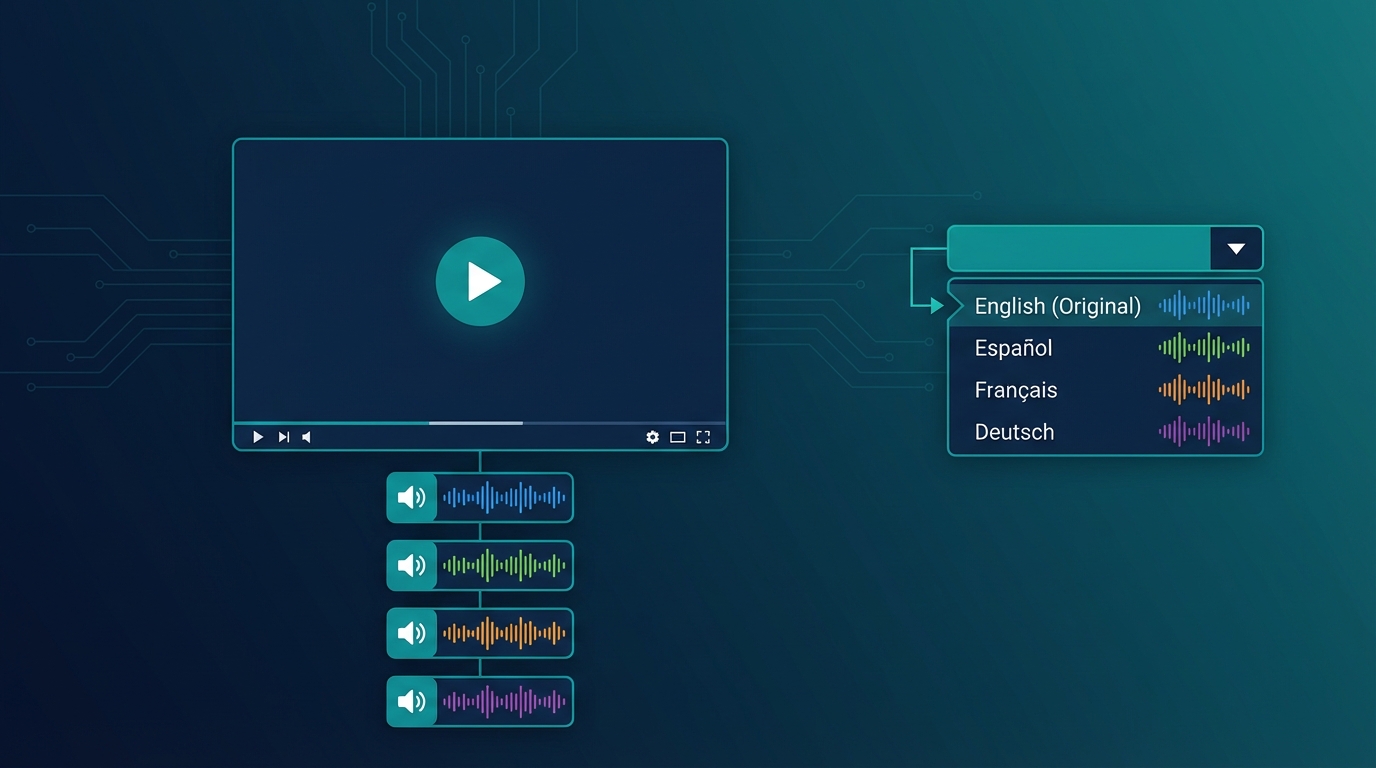
YouTube has introduced a feature that many creators still don't know about or fully utilize: Multi-Audio. This feature allows viewers to choose the audio language directly from the player, without having to search for secondary channels or alternative versions of the video. In this guide, I'll show you exactly how it works and how to use it to expand your global audience.Important: YouTube's Multi-Audio lets you upload up to 6 audio tracks in different languages on a single video. Viewers can switch languages with one click directly from the player.🔊 What Is YouTube Multi-Audio The Multi-Audio feature (also called "Audio Track" or "Multiple Audio Tracks") allows you to upload alternative audio versions of the same video. Viewers can select their preferred language by clicking the settings icon in the player. How it appears to viewers:Click the gear icon ⚙️ Select "Audio track" Choose from available languages Audio changes instantlyThe video stays the same, but the voice changes language. It's like having a remote control for dubbing. 💡 Multi-Audio vs Separate Channels: Pros and Cons Before implementing Multi-Audio, it's important to understand when to use it versus the separate channels strategy (MrBeast style). Multi-Audio Advantages ✅ Single video to manage: Unified metrics, centralized comments, less maintenance ✅ No additional channels: You don't have to build separate audiences from scratch ✅ Smooth user experience: International viewers find your video and choose the language ✅ Algorithm boost: YouTube tends to promote Multi-Audio videos in corresponding markets ✅ Ideal for evergreen content: Tutorials, how-tos, reviews that don't require frequent updates Multi-Audio Disadvantages ❌ Less SEO control: Single title/description (you can only translate in metadata) ❌ Aggregated statistics: Hard to understand which language performs better ❌ Mixed community: Comments in all languages in the same place ❌ Single thumbnail: You can't customize for each marketPro Tip: use Multi-Audio for tutorial/educational content and separate channels for entertainment/personality-driven content where localized community matters more.📝 Tutorial: Adding Multi-Audio to Your Videos RequirementsVerified channel At least 1,000 subscribers No active strikes Separate audio file (audio track only, not video)Step 1: Prepare the Audio Tracks For each language, you need an audio file:Format: AAC, MP3, WAV Exact same duration as original video Dubbed voice only (original music stays)How to get the tracks:Dub the video with NovaDub Download the complete version (video + dubbed audio) Extract only the audio with a tool like FFmpeg:ffmpeg -i dubbed_video.mp4 -vn -acodec copy audio_language.aacOr NovaDub can export the separate audio track directly. Step 2: Access YouTube StudioGo to studio.youtube.com Select the video to add tracks to Click "Subtitles" in the side menu Look for the "Audio tracks" sectionStep 3: Upload Audio TracksClick "Add audio track" Select the language Upload the audio file Give the track a title (e.g., "Español - AI Dub") Wait for processing (may take a few minutes) Repeat for each languageStep 4: Verify and PublishUse preview to verify synchronization Check that audio is aligned with video Save changes Tracks become active immediatelyWarning: synchronization is critical. If dubbed audio has a different duration by even a few seconds, it will be misaligned. Tools like NovaDub automatically handle timing.🎯 Best Practices for Multi-Audio Optimize Metadata YouTube allows you to add translated titles and descriptions:In YouTube Studio, go to "Details" Click "Add language" Enter translated title and description Repeat for each languageThis improves discoverability: when someone searches in Spanish, they can find your video with a Spanish title even if the original is English. Promote the Feature Many viewers don't know they can change language. Tell them explicitly: In the video: "This video is available in Spanish - click settings to change language" In description: Add a note about available languages In comments: Pin a comment explaining how to change language Monitor Performance Even though statistics are aggregated, you can deduce some information:Geolocation: YouTube Analytics shows where views come from Retention by country: See if certain markets have different retention Subscriber growth: Monitor which countries new subscribers come from🔄 Optimal Workflow with NovaDub Here's the most efficient process for adding Multi-Audio to your videos:Publish the original video on your channelUpload the same video to NovaDub and select target languagesDownload the dubbed versions (complete videos)Extract audio tracks from each versionUpload them as Multi-Audio on YouTube StudioTotal time: about 30-45 minutes for 3 languages (of which 20-25 waiting for processing) Cost example: 10-minute video × 3 languages = ~$50Note: if you use NovaDub subscription, cost drops significantly. With Creator plan (€49/month for 50 minutes) you can handle about 4-5 ten-minute videos per month in 3 languages.📊 When to Use Multi-Audio vs Separate ChannelsSituation Better ChoiceTutorial/educational channel Multi-AudioEntertainment/personality channel Separate channelsUnder 10K subscribers Multi-Audio (build main first)Over 100K subscribers Consider separate channelsEvergreen content Multi-AudioTrending/newsjacking content Separate channels (more timing control)Limited budget Multi-Audio (less overhead)Dedicated team Separate channels (maximum control)🚀 Hybrid Strategy Many successful creators use both approaches: Multi-Audio for:Pillar/cornerstone videos In-depth tutorials High-value evergreen contentSeparate channels for:Daily/weekly content Trend-sensitive videos Priority markets (e.g., only Spanish and Portuguese as separate channels)This hybrid strategy allows maximizing reach without multiplying workload. ✅ Conclusion YouTube's Multi-Audio is a powerful but underutilized tool. It allows you to reach global audiences without the complexity of managing multiple channels. To start today:Choose one of your best videos Dub it in 2-3 languages with NovaDub Extract the audio tracks Upload them as Multi-AudioIn under an hour, your video will be accessible to millions more people.Ready to make your videos multilingual? Try NovaDub free with 5 minutes included to test quality. Have you used YouTube Multi-Audio? Tell us your experience in the comments!
How MrBeast Conquered 100 Million Subscribers with Dubbing
In 2024, MrBeast did something that seemed impossible: he surpassed T-Series as the YouTube channel with the most subscribers in the world. But the most interesting data point isn't the total number - it's how he got there. The answer lies in a strategy every creator can replicate: systematic dubbing. Let's analyze in detail what MrBeast did and how you can apply the same strategies to your channel.Important: MrBeast didn't become the world's biggest YouTuber just with viral content. He built an empire of dubbed channels that reach billions of people in their native language.🏆 The MrBeast Empire Numbers Before analyzing the strategy, let's look at the numbers:Channel Language Subscribers (2026)MrBeast English 340M+MrBeast en Español Spanish 55M+MrBeast Brasil Portuguese 25M+MrBeast Deutsch German 8M+MrBeast Japan Japanese 5M+MrBeast Hindi Hindi 35M+MrBeast Arabic Arabic 18M++ other channels... Various 30M+Combined total: over 500 million subscribers across all channels. The main English channel represents "only" 68% of the total. The remaining 32% - about 160 million subscribers - comes from dubbed channels. These aren't marginal numbers. 💡 The Separate Channels Strategy MrBeast doesn't use subtitles. He doesn't use YouTube's Multi-Audio. He chose to create completely separate channels for each major language. Why this choice?Optimized Algorithm YouTube recommends content based on language. A 100% Spanish channel gets aggressively pushed to Spanish-speaking users. A mixed channel confuses the algorithm.Dedicated Communities Each channel has its own community with comments in the local language. Fans feel part of something specific to them, not second-class viewers of an English channel.Separate Monetization Each channel has its own AdSense, its own sponsors, its own partnerships. MrBeast can make deals with local brands for each market.Risk Reduction If one channel has problems (strikes, demonetization), the others continue independently.Pro Tip: the separate channels strategy works best for creators with "universal" content (entertainment, challenges, gaming). For specific niches, Multi-Audio might be more efficient.📊 The Production Model How does MrBeast manage so many channels? His system is industrialized: Step 1 - Original Production: The team produces the video in English with million-dollar budgets. Step 2 - Translation and Adaptation: Professional translators adapt scripts and jokes for each culture. Step 3 - Dubbing: Local voice actors (and increasingly AI) record the voices. Step 4 - Post-production: Each version is finalized separately. Step 5 - Coordinated Publishing: All channels publish simultaneously or with strategic slight delays. The cost? MrBeast invests millions in this process. But the ROI is clear: those extra 160 million subscribers generate hundreds of millions of dollars in additional revenue. 🎯 How to Apply the Strategy to Your Channel Don't have MrBeast's budget? It doesn't matter. AI has democratized this strategy. Phase 1: Choose Markets You don't need to cover 12 languages like MrBeast. Start with 2-3 strategic markets:Spanish: 550 million speakers, steady growth Portuguese: Brazil exploding, competition still low German: Premium CPM, loyal audiencePhase 2: Create Secondary Channels Simple naming convention:YourChannel (original) YourChannel ES (or Español) YourChannel PT (or Brasil)Maintain consistent branding: same logo, same graphics, same thumbnail style. Phase 3: Dub with AI Instead of hiring voice actors, use NovaDub:Upload the original video Select target languages In minutes you have dubbed versions With Social Sync, publish directly to channelsCost example: 10-minute video → 2 languages → ~$35 total Phase 4: Optimize for Each Market Dubbing alone isn't enough. Optimize:Titles: Research keywords in target language Descriptions: Translated and SEO-optimized Tags: Specific for each market Thumbnails: Consider versions with localized textPhase 5: Publish Consistently Consistency beats everything. MrBeast publishes on every channel with maniacal regularity. You should do the same:Every original video → versions in all languages Same day or within 24-48 hours Optimized times for each timezoneWarning: the most common mistake is starting enthusiastically then abandoning secondary channels. Better 2 consistent languages than 5 abandoned languages after a month.📈 Realistic Results What can you expect following this strategy? Obviously not MrBeast's numbers, but still significant results. Scenario: Tech channel with 50K subscribers After 6 months of multilingual strategy:Main channel: 50K → 65K (+30%) ES channel: 0 → 40K PT channel: 0 → 25KTotal: from 50K to 130K subscribers (+160%) Revenue: From ~$600/month to ~$1,800/month (+200%) These are realistic numbers based on case studies of average creators who applied this strategy consistently. 💼 The AI Advantage in 2026 MrBeast started with human voice actors because AI wasn't advanced enough. Today the situation is different. AI dubbing advantages:✅ 95% lower cost ✅ Speed: minutes instead of days ✅ Perfect voice consistency (voice cloning) ✅ Infinite scalability ✅ Free correctionsWhen MrBeast still uses humans:Videos with strong emotional component Markets with very high expectations (Japan) Content with lots of improvisationFor most creators, AI is sufficient - and often superior for consistency.Note: even major creators are switching to AI for secondary channels. The time and money savings allow investing more in original production.✅ 30-Day Action Plan Week 1:Create YouTube accounts for 2 additional languages Sign up at NovaDub (5 free minutes) Identify your 5 best videos to dubWeek 2:Dub the 5 selected videos Set up secondary channels (banner, descriptions, links) Publish first videosWeek 3-4:Dub every new video you publish Analyze performance with YouTube Analytics Optimize titles and thumbnails based on dataMonth 2+:Maintain consistency Consider third language Explore collaborations with local creators🚀 Conclusion: Your Multilingual Empire MrBeast has proven that global audience exists and wants content in their own language. He built a 500-million subscriber empire by systematically applying this strategy. You don't have his budget, but you have something he didn't have when he started: AI for dubbing. What cost him hundreds of thousands of dollars costs you just a few hundred per month. The question isn't IF you should expand globally, but WHEN you'll start.Ready to build your multilingual empire? Start with NovaDub - 5 free minutes to test quality. Already have channels in multiple languages? Share your experience in the comments!