Showing Posts From
Automatic video dubbing
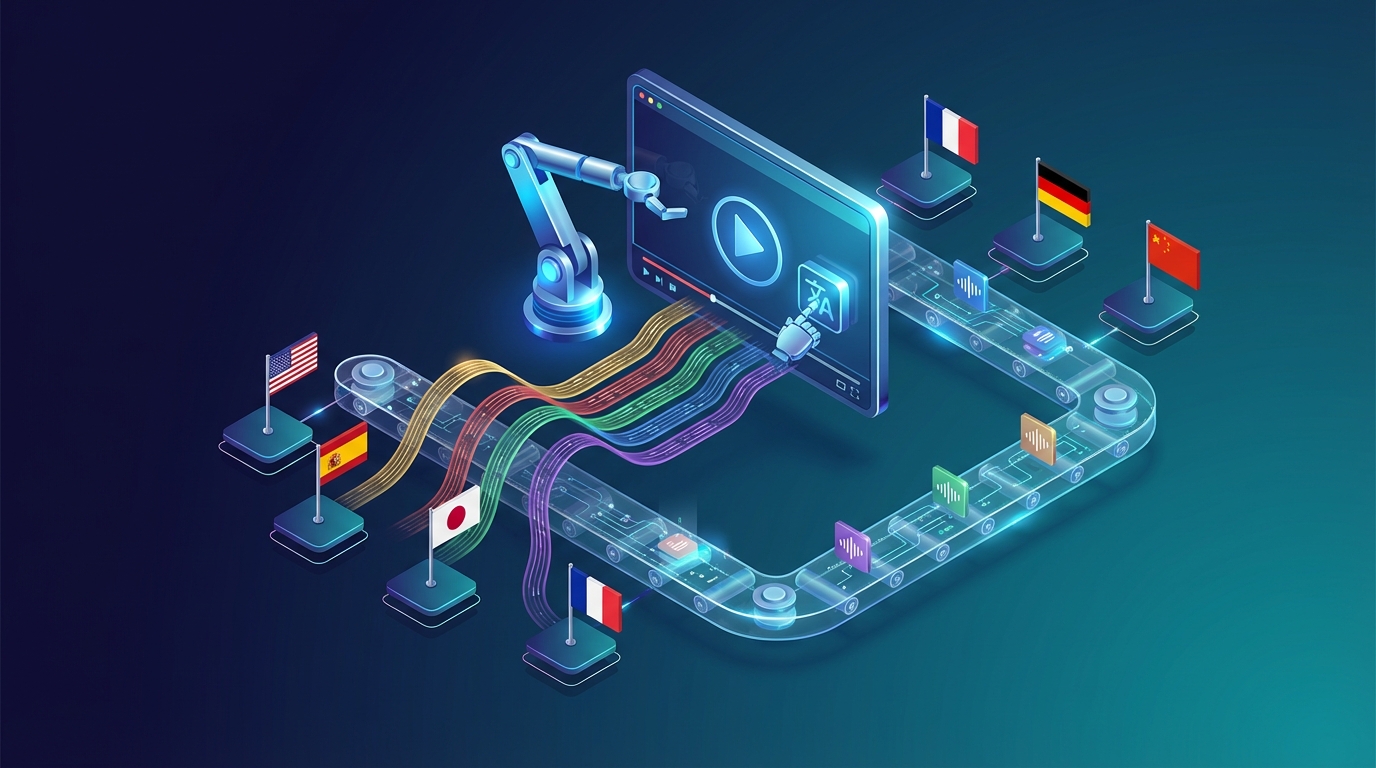

Automatic Video Dubbing in 2026: How AI Has Changed Everything
Three years ago, dubbing a video into another language meant booking a studio, hiring voice actors, working with a director, and waiting weeks for the final delivery. Costs started at hundreds of dollars per finished minute. Today, you upload your video and get a dubbed version back in minutes. That shift is the story of automatic video dubbing — and it's one of the most practical AI developments for creators and businesses in the past few years. What Is Automatic Video Dubbing? Automatic video dubbing (also called AI dubbing or auto dubbing) is the process of using machine learning to replace the spoken audio in a video with a translated version in a different language — automatically, without human voice actors or recording studios. A complete automatic dubbing pipeline typically does:Transcription — converts the original speech to text using speech-to-text AI Translation — converts the transcript to the target language Voice synthesis — generates new audio in the target language using AI voices or voice cloning Timing alignment — synchronizes the dubbed audio with the original video timing Audio mixing — blends the new speech with preserved background music and ambient soundThe output is a video file where the original language has been replaced by the target language — sounding like it was recorded in that language. How Automatic Dubbing Works The Technical Pipeline Modern automatic dubbing uses a chain of specialized AI models: Speech-to-Text (STT): Models like OpenAI Whisper detect the exact timing of each spoken word, speaker changes, and pauses. This creates a precise transcript with timestamps. Neural Machine Translation (NMT): Models translate the timed transcript. This isn't simple word substitution — modern NMT understands context, adjusting idioms and expressions to sound natural in the target language. Text-to-Speech (TTS) / Voice Cloning: This is where the magic (and the quality difference between tools) happens. Basic TTS uses a generic AI voice. Voice cloning analyzes the original speaker's voice characteristics and generates speech that sounds like that person speaking the target language. Audio Processing: The system aligns the dubbed speech to match pauses and emphasis from the original, preserves background music and ambient sound, and produces a clean mix. Why Voice Cloning Matters The difference between automatic dubbing with generic AI voices vs. voice cloning is massive. With a generic voice:The dubbed video sounds like a different person speaking The emotional connection to the speaker is broken It feels like a machine translationWith voice cloning (like NovaDub uses):Your voice translates with you Viewers connect with the same person they followed It sounds like you actually recorded in that languageFor creators building personal brands, voice cloning isn't optional — it's the whole point. Automatic Dubbing vs. Traditional Dubbing: A Real ComparisonFactor Traditional Dubbing Automatic (AI) DubbingCost $25–100/min $0.50–2/minTime 1–4 weeks MinutesSetup Studio booking, casting, direction Upload and clickVoice quality Highest (human actors) Very good (voice cloning)Languages Limited by available actors 30+ (any supported language)Scalability Very limited UnlimitedVoice continuity Requires same actor every time Automatic (cloned)For most video content, AI dubbing now delivers 85–95% of the quality of traditional dubbing at 5–10% of the cost. The remaining gap — the cases where traditional dubbing still wins — is high-stakes broadcast content where absolute perfection matters and budget is not a constraint. For YouTube channels, online courses, corporate training, and most business video content, automatic dubbing is the right call. Automatic Dubbing vs. Subtitles: Which Is Better? This question comes up constantly. Short answer: dubbing beats subtitles for engagement, subtitles win on cost.Subtitles Automatic DubbingWatch time Lower (reading fatigue) Higher (native-like experience)Mobile experience Poor GoodAccessibility Good (reading) Good (listening)SEO Subtitle text indexable Audio SEO via transcriptEmotional connection Reduced PreservedCost ~$0.20–0.50/min ~$0.50–2/minPlatform features Broad support YouTube multi-audio, etc.Increasingly, the answer is both — publish with dubbed audio and add translated subtitles for maximum accessibility and SEO. Best Automatic Dubbing Tools in 2026 1. NovaDub — Best for Creators NovaDub is built specifically for the automatic dubbing use case: upload a video, get a dubbed version back. No setup, no studio, no voice actors needed. Key features:Voice cloning (sounds like you, in any language) 30+ languages Preserved background audio (music stays, voice swaps) Minutes per video Pay-per-video pricing — no subscriptions requiredIf you're a YouTuber, course creator, or content marketer who wants to go multilingual, NovaDub is the most direct path.2. HeyGen — Best for Lip Sync HeyGen specializes in videos where the speaker is visible on camera and lip movements need to match the dubbed audio. Strong results for talking-head content. Higher pricing than creator-focused tools.3. Rask AI — Best for Enterprise Scale Rask AI serves organizations with ongoing, high-volume dubbing needs — corporate L&D, marketing localization across many markets, multi-speaker content. Good workflow integrations.4. Papercup — Best for Broadcast Quality Papercup targets professional broadcast and streaming media. Human-assisted AI dubbing with quality oversight. Significantly more expensive but appropriate for content where broadcast standards apply.How to Get Started with Automatic Dubbing Here's the simplest workflow to launch automatic dubbing for your content: Step 1: Choose Your Target Languages Start with 2–3 languages where you have (or want) audience. Spanish and Portuguese (Brazil) are almost always the right first choices for English content given the audience size and engagement rates. Step 2: Select Your Best-Performing Videos Don't start by dubbing everything. Pick 5–10 of your strongest existing videos — proven content that deserves wider distribution. Step 3: Process Through an AI Tool Upload to NovaDub (or your chosen tool). Select source language, target language, submit. Step 4: Review the Output Watch the dubbed version with fresh ears. Check:Does the voice sound natural? Are there any translation errors? Do pauses align reasonably with the video? Is background audio balanced?Most AI dubbing output today needs no edits. Occasionally you'll catch something worth fixing. Step 5: Publish Using Multi-Audio On YouTube, use the multi-audio track feature to add the dubbed version to your existing video. The platform automatically serves the Spanish version to Spanish-speaking viewers — no separate channel required. Step 6: Build It Into Your Regular Workflow Going forward, dub new videos at publication time. Localizing at creation is far more efficient than going back and dubbing an existing catalog.The Real Impact of Automatic Dubbing The numbers are real:YouTube reports 60%+ of watch time comes from outside the creator's home country Channels that dub into Spanish typically see 40–120% total view increase Dubbed content consistently achieves 25–50% higher watch time vs. subtitled equivalents Course creators report 2–5x sales increase from Spanish and Portuguese versionsThese aren't projections — they're outcomes from creators who went multilingual. The barrier used to be cost and complexity. In 2026, with automatic AI dubbing, the barrier is just deciding to do it.The question is no longer "can I afford to dub my videos?" The question is "can I afford not to?" Start dubbing your videos automatically with NovaDub →